

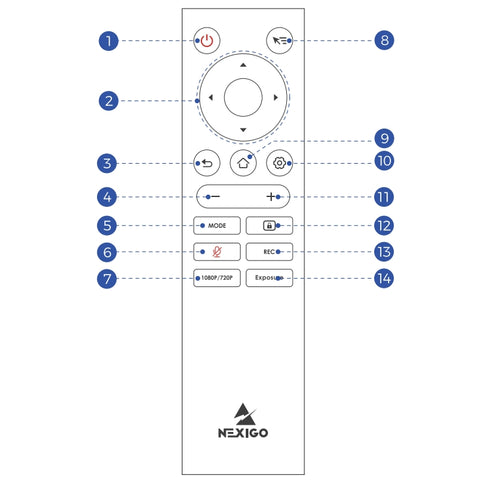
The security requirements of Google Meet enterprise accounts cause this issue. A PIN code must be set on the device before Google Meet can be used.
Please set a PIN code, restart the device, and then try opening Google Meet again.
How to set a PIN code
Before setting a PIN, make sure the camera is properly set up in HDMI Mode.
Step 1: Set up the camera
- Use the provided USB-C to USB-C cable to connect the camera to power.
- Use an HDMl cable (not included) to connect the camera to a TV or other external display.
- Press and hold the Power button for at least 5 seconds to power on the camera.
- To pair the remote control, simultaneously press and hold the OK and Volume - buttons for at least 5 seconds.
- lf there's no image on your external display, press and hold both the Volume + and Volume − buttons on the camera simultaneously forat least 5 seconds. This will switch the HDMI output to a resolution compatible with your display.
- Once the setup is complete, you will see the main interface on the external display.

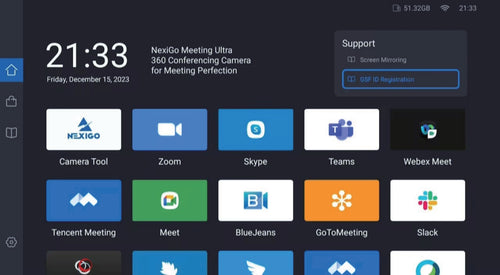
Step 2: Set the PIN code
- 1. Go to Settings > Storage > Other apps > Settings.


- 2. Tap the Settings icon, then tap Open.

- 3. In the Search Bar, enter “Screen Lock”, then tap the Screen Lock option.

- 4. Follow the on-screen instructions to set up a PIN code.
- After the PIN is set, restart the device. Google Meet should then work normally.


How to delete or change the PIN?
- To delete the PIN, go back to Screen Lock and select None.
- To change the PIN, first delete the existing PIN, then set a new one following the on-screen instructions.

Chapters
00:00 - Intro
01:24 - Controls Overview
02:02 - On-Board Controls
02:46 - USB Setup
03:14 - HDMI Setup
04:00 - Ethernet Setup
04:42 - Multicam Setup
05:24 - Outro